From your website to a funded grant.
Eleven steps. FundFellows does the reading, the first drafts, and the planning. At every step there is a point where you decide, and nothing goes further until you do.
The demo runs on a fictional organization and recorded runs. No sign-up.
Step 1: Say who is applying
Setup asks first: a nonprofit, a firm, a research team, or a person. Every later step follows from it. A firm gets bids, the compliance matrix, and the SF 330. A lab gets research notices and funders' AI rules. A student gets scholarships and essays.
You decide
Pick one. A consultant or a fiscal sponsor can add more organizations later.
Step 2: Add your website and documents
FundFellows reads your public pages and the documents you add: an annual report and a 990, project sheets and résumés, a lab page, or a student's résumé. It writes down the facts an application asks for, and keeps a fact only when the passage it quotes is really in the source.
You decide
Which website and which documents it may read.
Step 3: Check the facts
Each fact is shown beside the sentence it came from, with a link to the page.
You decide
Confirm, edit, or reject each fact. Only confirmed facts are ever used in a match or a draft.
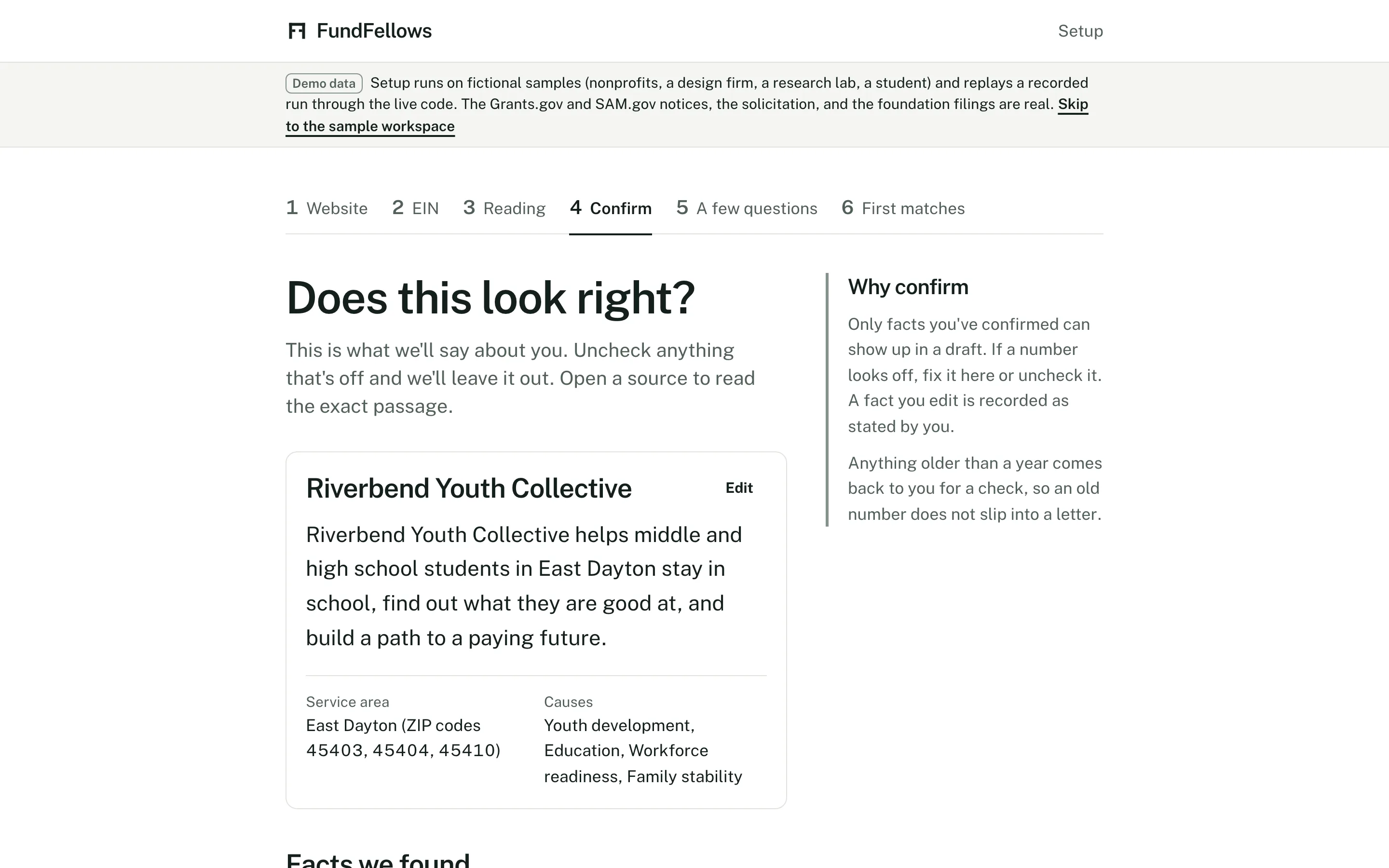
Checking facts, on demo data. Each one shows where it came from.
Step 4: Answer a few questions
It asks what your sources did not say and an application will need: your annual budget, your EIN, the counties you serve, your bonding limit, how many people you reached last year.
You decide
Answer what you know now. Anything you skip comes back later as a question, never as a guess.
Step 5: See your matches
It searches the opportunity database, built from official public sources: federal grants, public bids and contract solicitations, research funding, private foundations in every state, and scholarships. Each match has a fit score and reasons tied to one of your facts and a line of the notice or filing. You can also upload or link an RFP or notice from anywhere.
You decide
Save the ones worth pursuing and dismiss the rest. A dismissal shapes the next search.
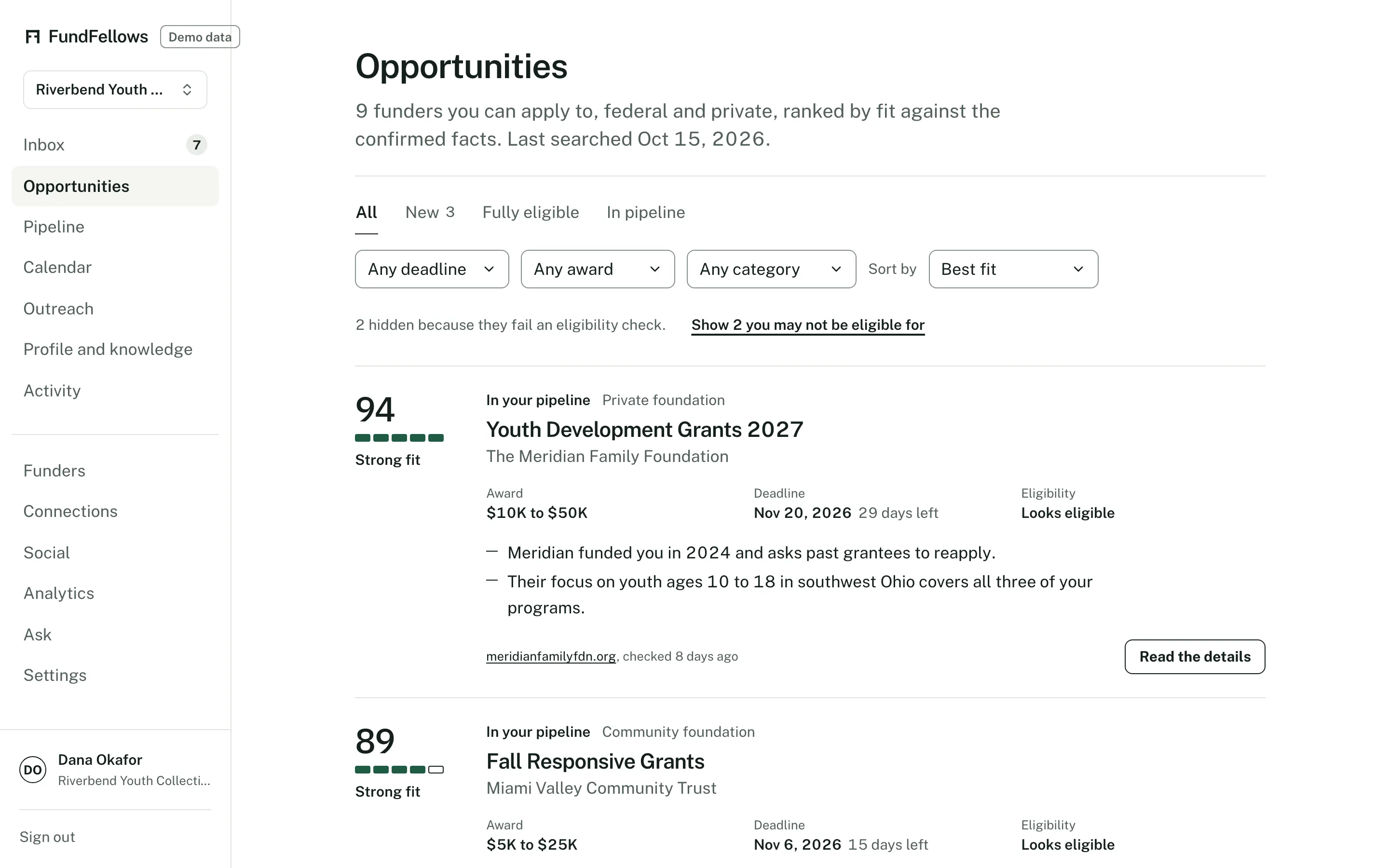
Matches, on demo data. Federal notices and foundations together.
Step 6: Get a plan for the month
Ask for next month's plan and the Inbox gets a short one: which applications to work on, when each is due, and roughly how much work each one is. Every draft, email, and schedule it prepares waits in the same place.
You decide
Approve the plan, change it, or set it aside. Nothing in the Inbox moves until you act on it.
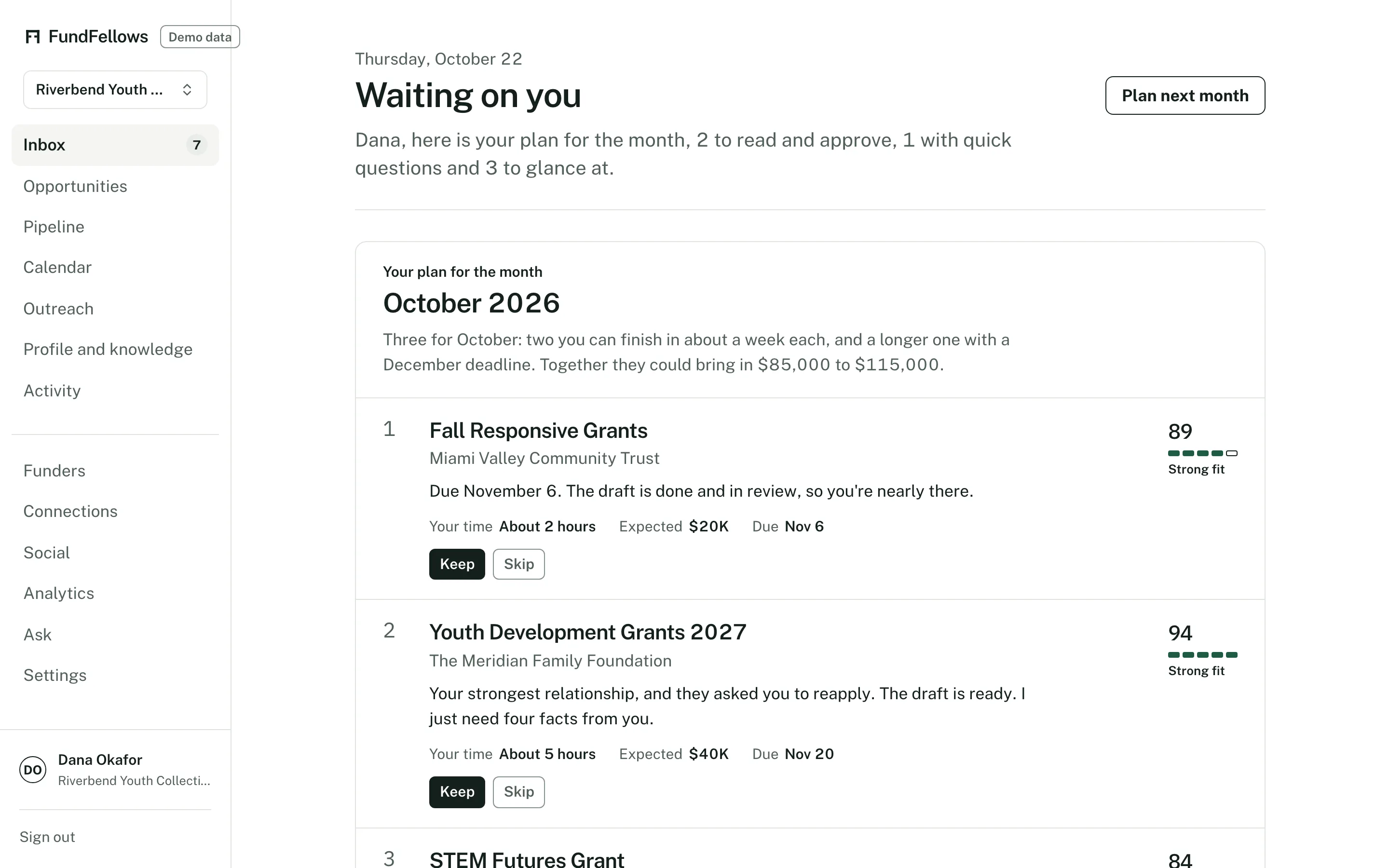
The Inbox, on demo data. Everything waits here for you.
Step 7: Read a draft with its sources
It drafts the letter, proposal, bid response, or essay. Every claim cites a confirmed fact or record. A missing fact becomes a marked gap and a question in the side panel.
You decide
Answer the questions, edit anything that does not sound like you, and approve each section when it is right.
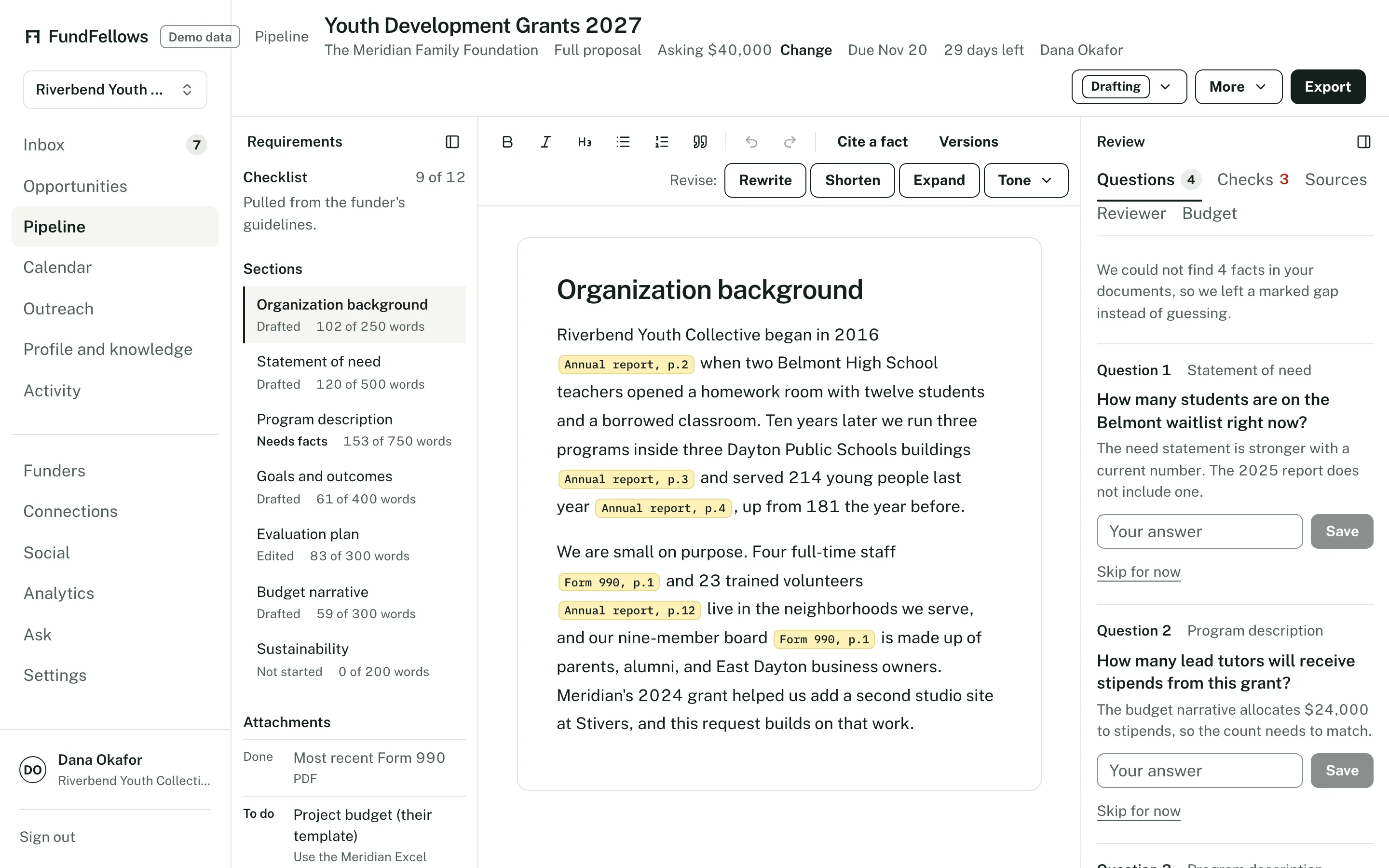
A draft, on demo data. Citations inline, questions on the right.
Step 8: Run the checks
Code checks each citation and each number. Compliance checks look for page and word limits, required sections, and attachments, and for a bid, every row of the compliance matrix. A reviewer check lists what a program officer or selection board might find weak. The budget builder lays out line items from your numbers.
You decide
Decide which notes to act on. The checks advise. You choose what the reader sees.
Step 9: Approve the milestones
It proposes dates counted back from the deadline: first draft, reviews, sign-offs, submit. When an addendum moves a due date, the milestones move with it. The weekly digest lists the next two weeks.
You decide
Move any date, then approve the schedule. It goes on your calendar only after that, by feed or by Google Calendar if you connect it.
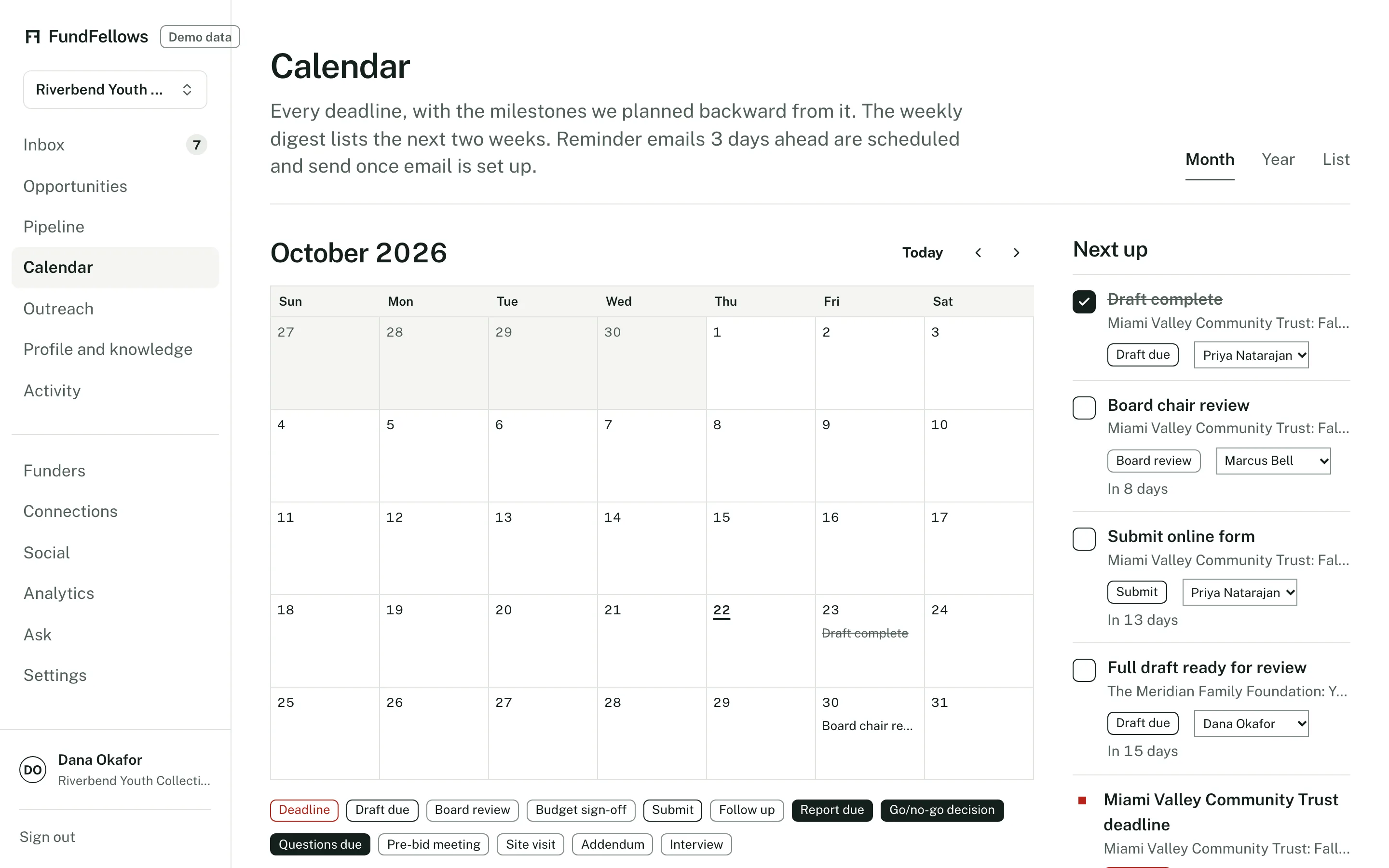
The calendar, on demo data.
Step 10: Export and submit it yourself
It exports the application to Word or PDF, and the SF 330 to Word. Outreach drafts a short cover note when you want one.
You decide
Upload the file and click submit on the funder's or agency's portal. Send the note from your own address. We never do either for you.
Step 11: Log the outcome
When you hear back, it drafts a thank-you or a follow-up asking what would make the next application stronger.
You decide
Move the application or bid to Won or Lost on the pipeline board, add the amount and what you were told, and send the note if you want to.
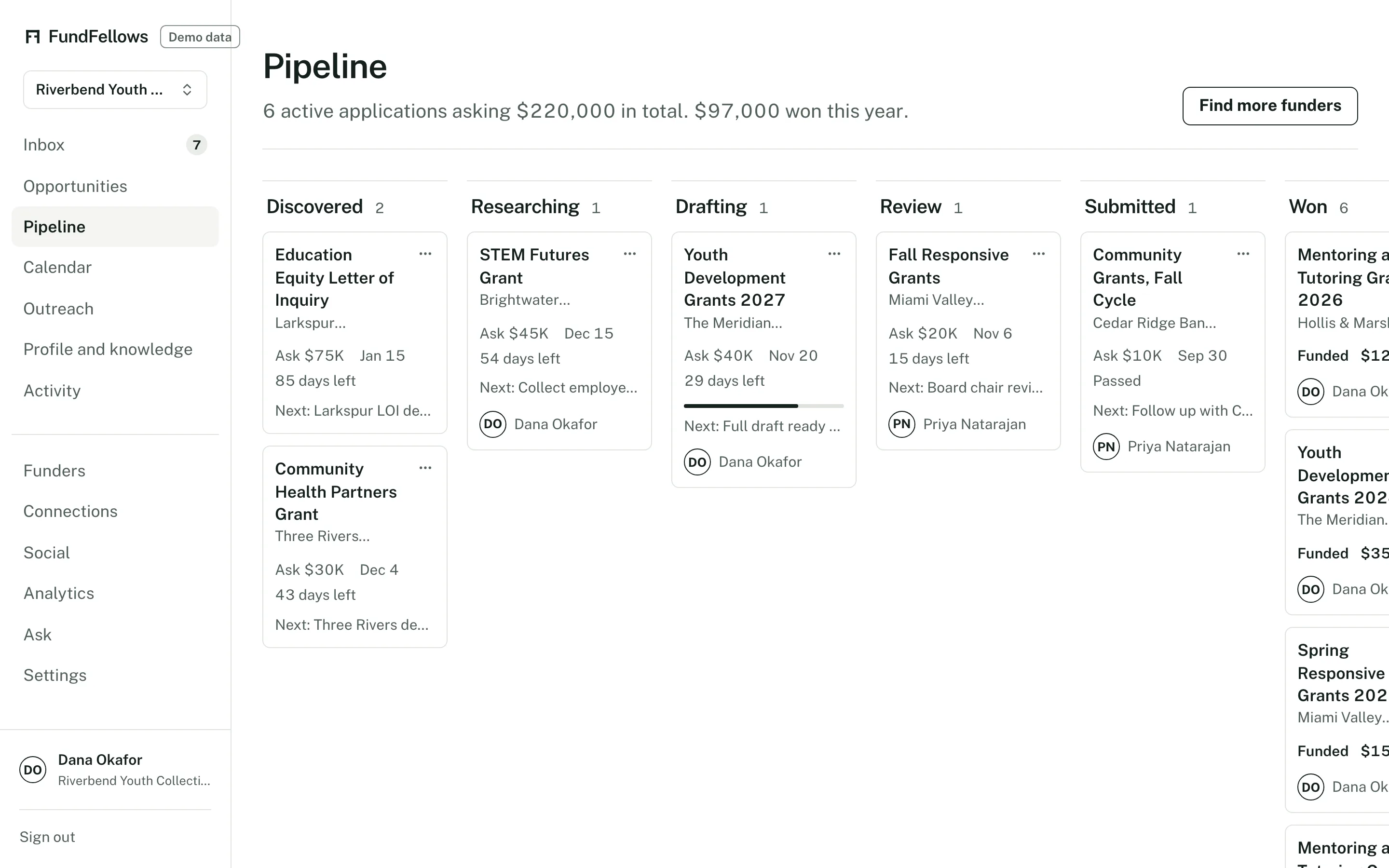
The pipeline board, on demo data.
Step 12: Learn from it next month
Win analytics shows which funders, clients, sectors, and sizes go with your wins, and says plainly when there are too few outcomes to tell. Next month's plan takes your outcomes into account.
You decide
Read it, and approve or change next month's plan. The loop starts again.
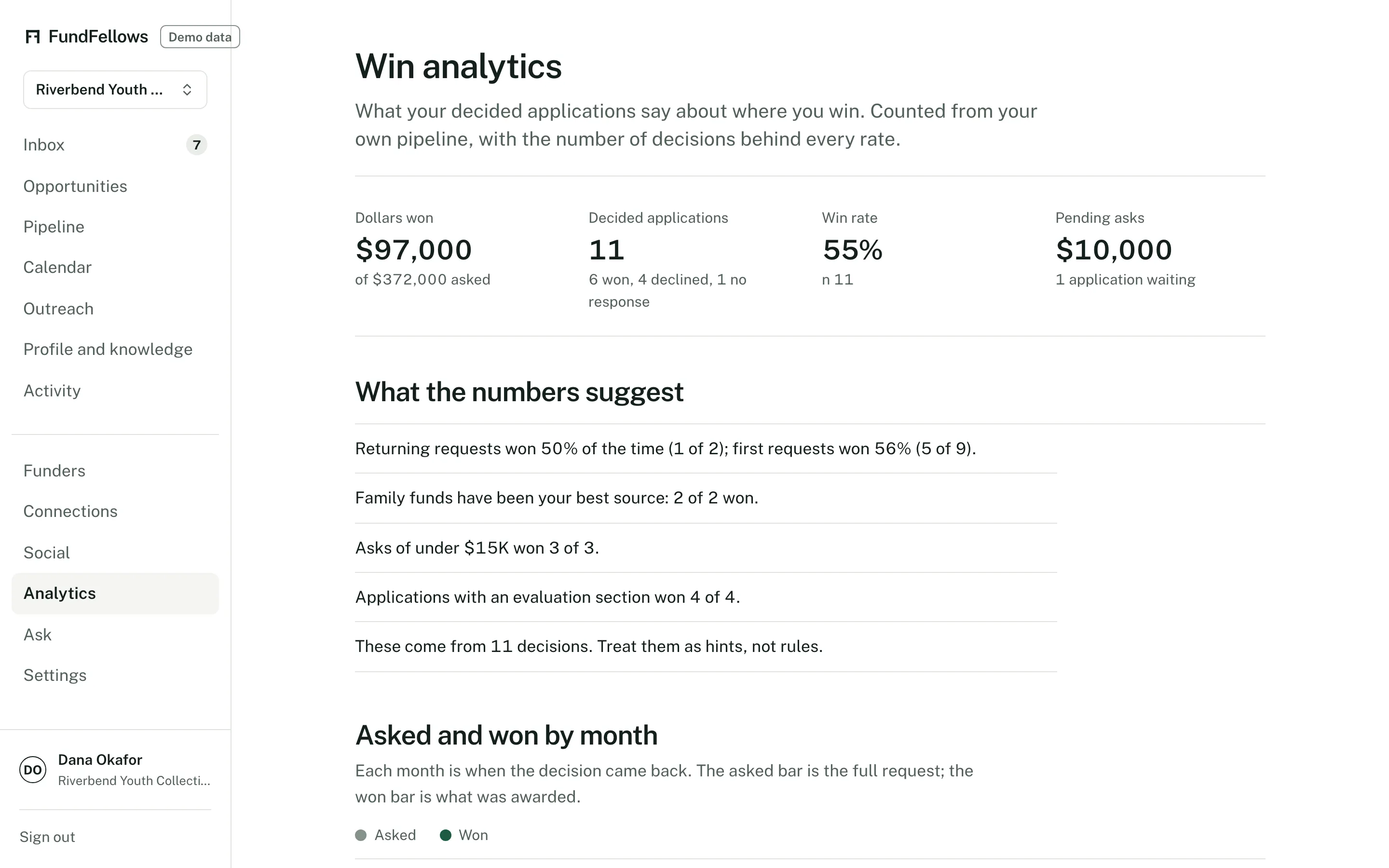
Win analytics, on demo data.
Walk through it on a sample organization.
The demo walks through these steps with six fictional samples, from a construction firm to a student, and recorded runs on real public notices. Nothing you do there is sent anywhere.
Free to start, with no card.
The demo runs on a fictional organization and recorded runs. No sign-up.