Who it's forArchitecture and construction
Public bids, read line by line and drafted from your records.
For architecture, engineering, and construction firms. FundFellows finds solicitations that fit your NAICS codes and region, turns each RFP into a compliance matrix with the page behind every requirement, gives a go/no-go with reasons, and drafts the proposal and the SF 330 from your own projects and people. You price it, sign it, and submit it.
The demo includes a fictional architecture and engineering firm in San Antonio, clearly labeled, and replays recorded runs. The SAM.gov notices and the sample VA solicitation are real. It costs nothing and needs no account.
The requirements are scattered, and the people who know the projects are on site.
A firm wins most of its public work through proposals. The solicitations sit on SAM.gov, a state portal, a city's bid page, and the agency's own site. Each one spreads its requirements across sections, attachments, and forms, and a missed one can sink the bid before anyone reads the approach.
The marketing lead rebuilds the same résumés and project sheets for every SF 330. The decision to pursue gets made late, because nobody had time to read the whole package. Then an addendum moves the date.
What it does, step by step.
Keep your firm's records once
The company profile (NAICS codes, sectors, states, UEI, bonding, insurance, safety record, staff by discipline, hourly rates), the project portfolio, key personnel with their registrations, and the certifications you hold: small business, SDVOSB, WOSB, 8(a), HUBZone, MBE, WBE, DBE, and your licenses. Every proposal is built from these.
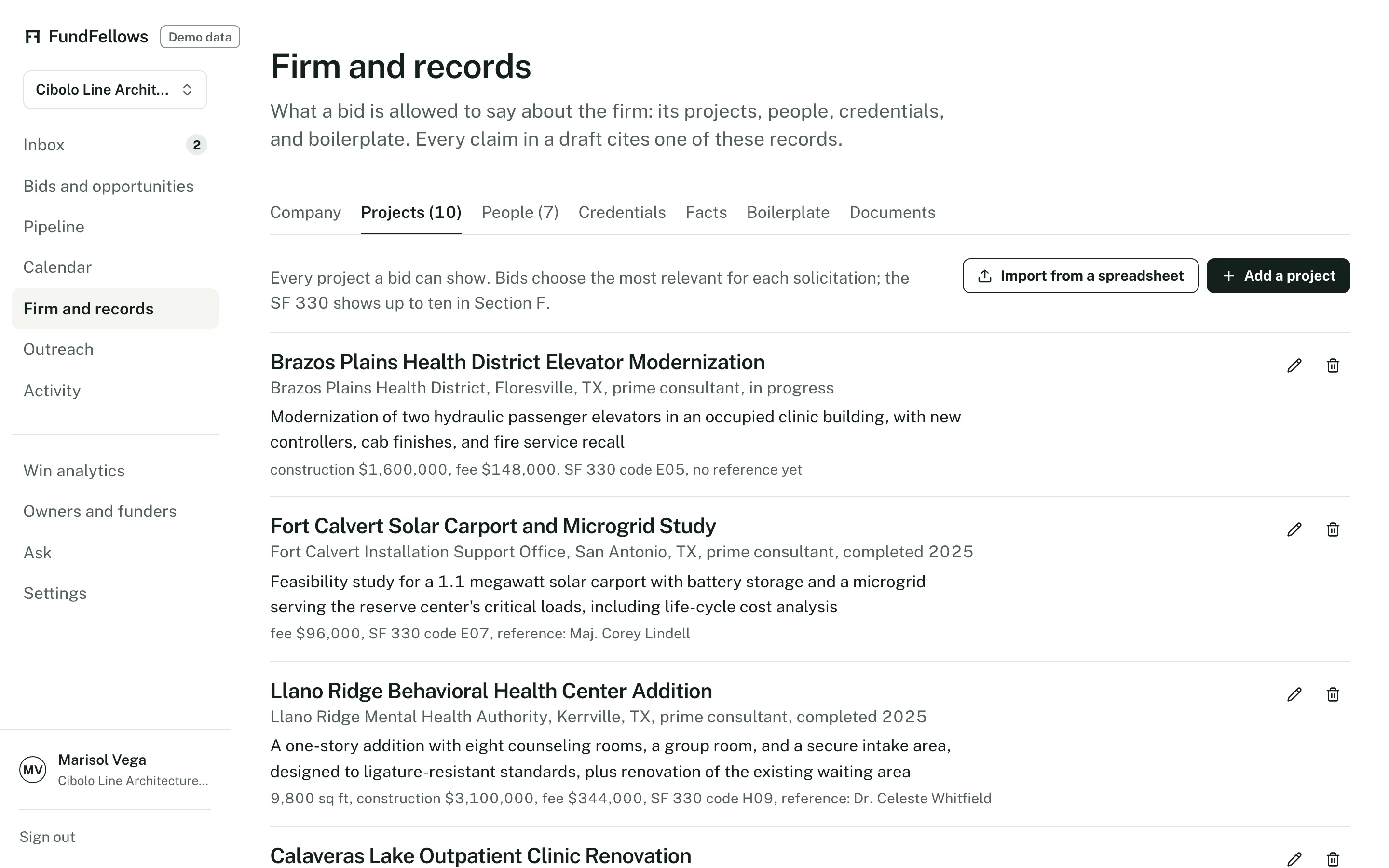
Firm records, on demo data. Projects, people, and credentials in one place. Find solicitations that fit
One search covers federal contract opportunities from SAM.gov, open bids from state and city portals that publish open data (New York City, Los Angeles, San Francisco, Texas DOT highway lettings, Delaware, Montgomery County in Maryland, and the Illinois Capital Development Board), and international public tenders. Save a search by NAICS code, region, and set-aside. Each result has a fit score with plain reasons, and a link to the official notice.
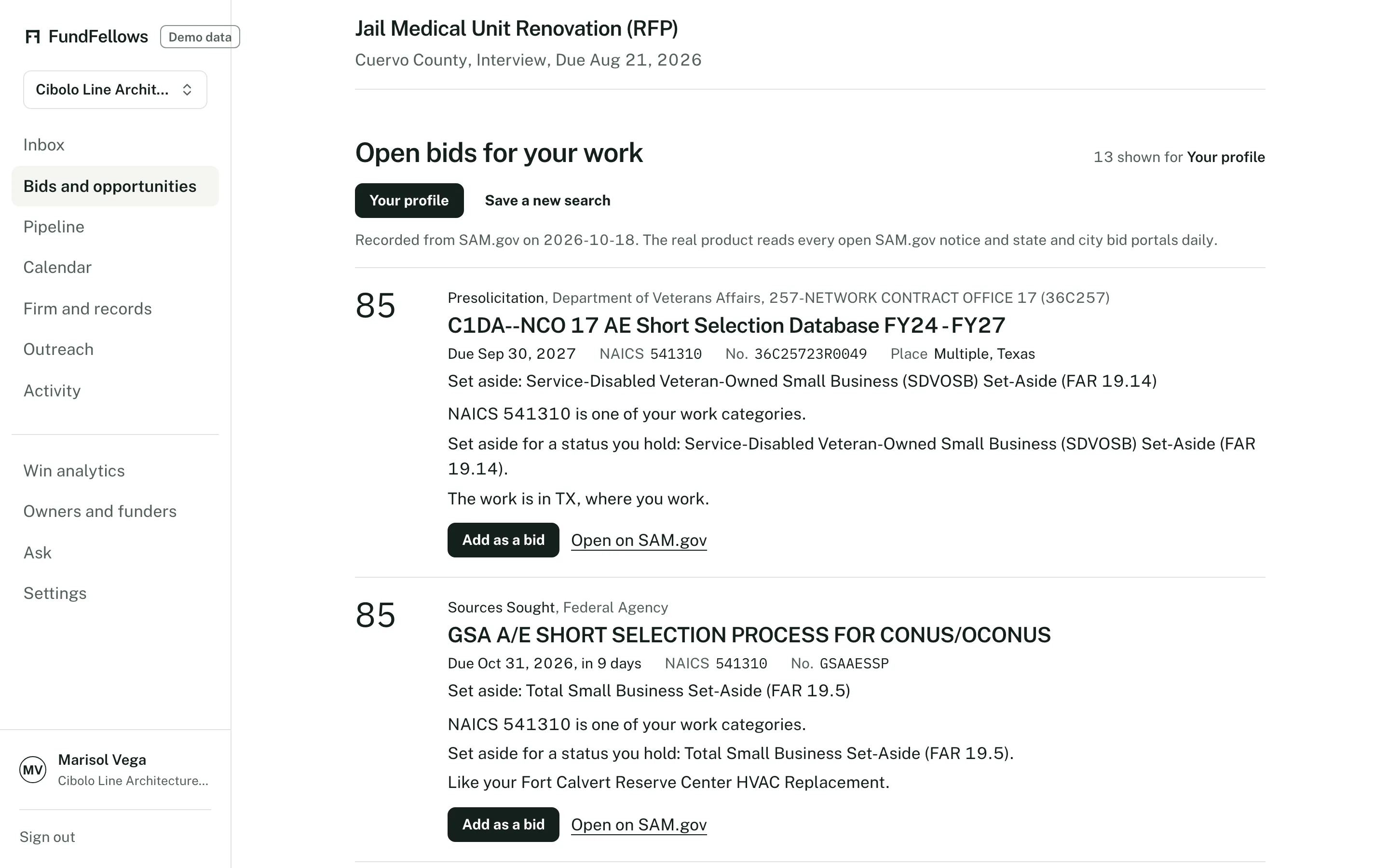
Bids, on demo data. The SAM.gov notices are real. Add any RFP, from anywhere
Pick one from the search, upload the PDF, or paste a link or the text. A PDF is read page by page. Plain rules, not a model, find the requirements (shall, must, submit, include), evaluation factors, dates, forms such as the SF 330, SF 1442, and bid bond, page limits, set-aside, NAICS, and bonding.
Go or no-go, with the reasons
The score weighs fit with your past projects, key people for the roles named, required certifications and licenses, location, capacity, bonding, set-aside fit, competition signals such as an incumbent, and time to respond. A stopper, such as a set-aside you do not hold, bonding above your limit, or a passed deadline, turns it to no-go. The call is yours.
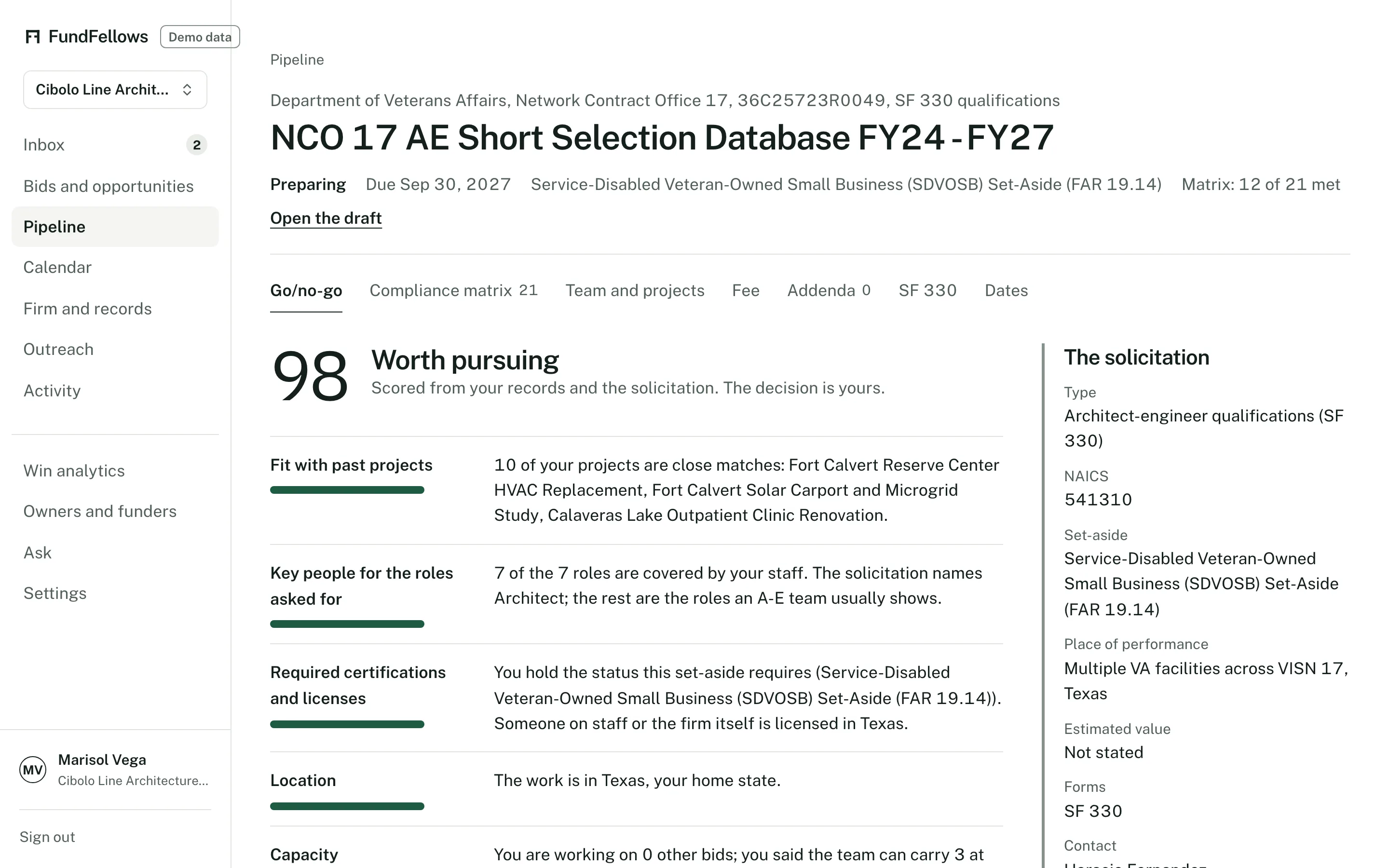
Go/no-go, on demo data. The decision stays with the firm. A compliance matrix that stays current
Every requirement becomes a row: the sentence it comes from, the section and page, the proposal section that answers it, and its status. The matrix is rechecked from the draft each time. Add an addendum and it reads what changed. A new due date moves the deadline and replans the milestones, and the matrix tracks acknowledging each addendum.
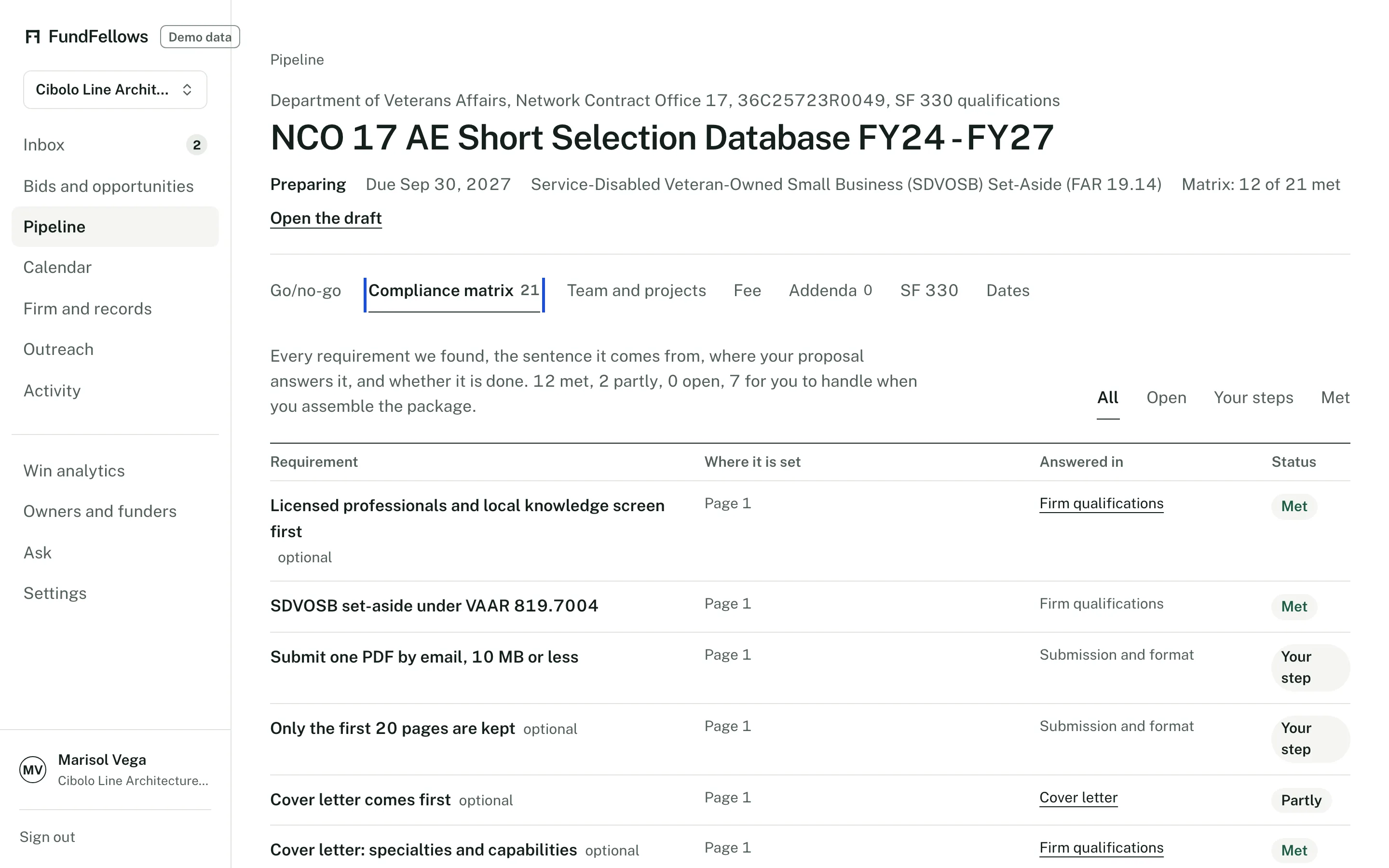
The compliance matrix, on demo data. A draft built from your records
Relevant past projects chosen from your portfolio, key personnel résumés, references, a schedule from the solicitation's dates, and quality and safety from your own plan and safety record. The cover letter, firm qualifications, and approach are written from the same records. Every claim cites a record. Anything missing becomes a question.
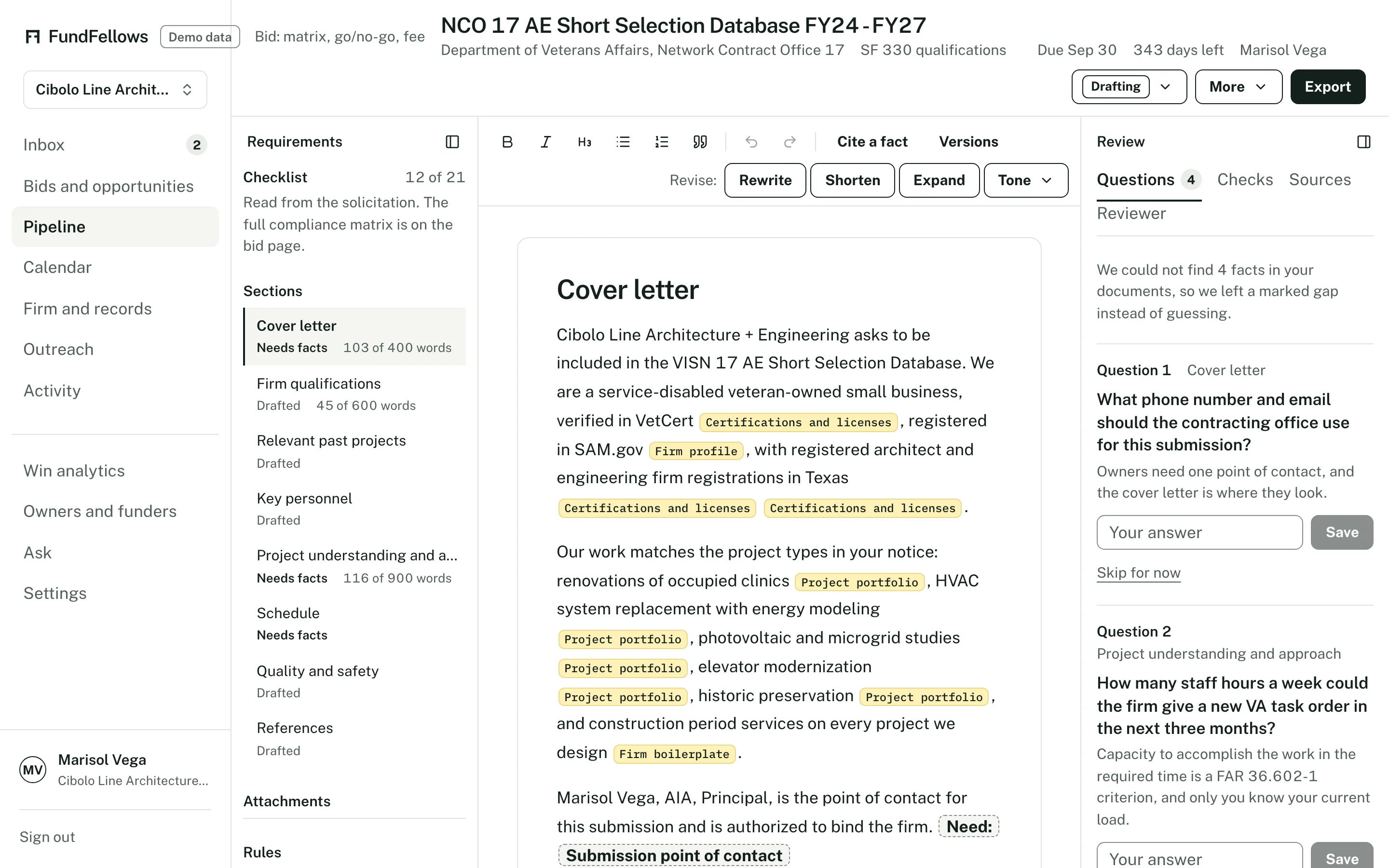
A bid draft, on demo data. Each chip opens the record it cites. The SF 330 from the same records
Part I, sections A to I, and Part II, built from your records and previewed on screen. Export it to Word and move it into the official form. It lists what you still have to supply.
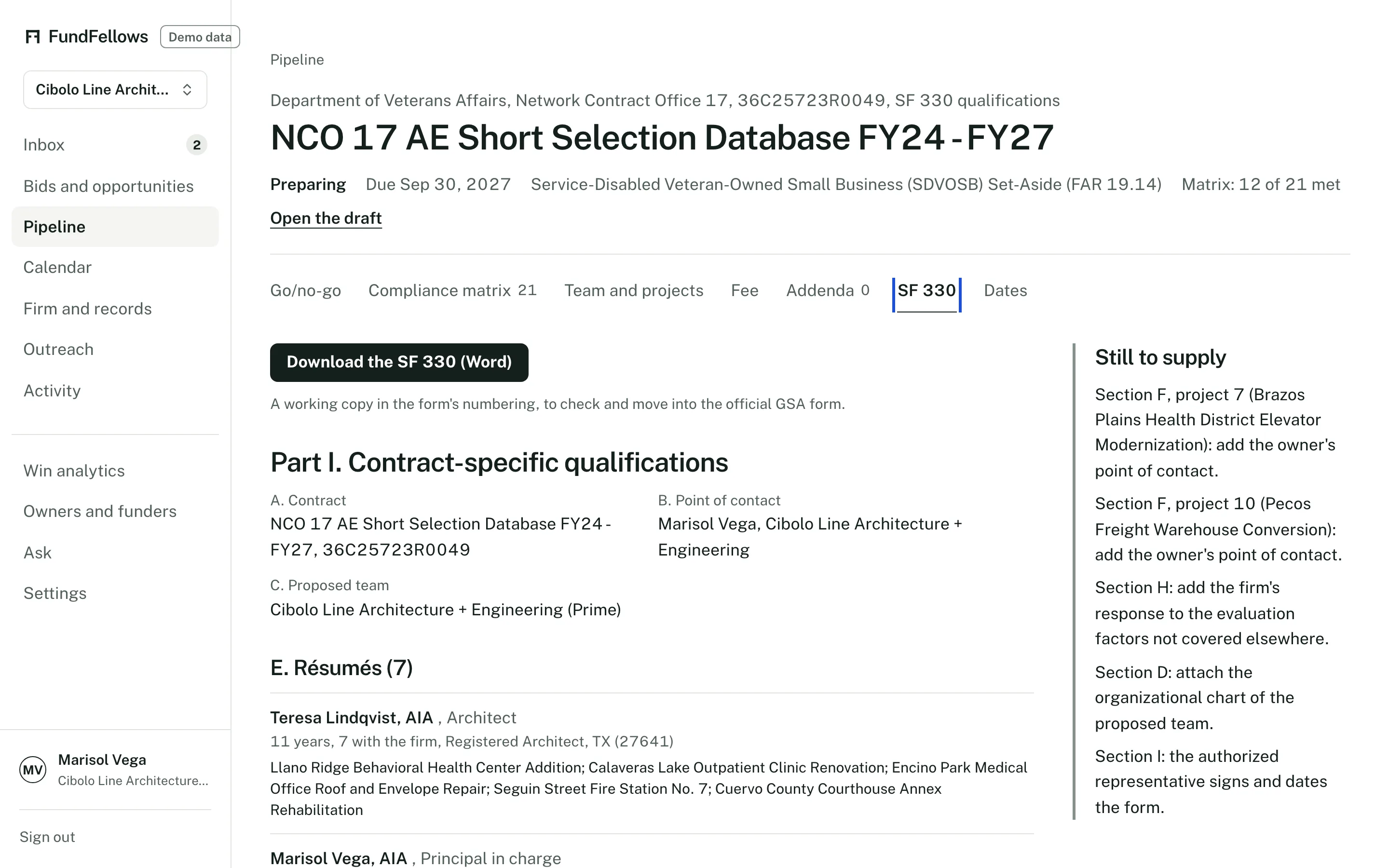
The SF 330 preview, on demo data. A fee proposal with your numbers
The structure: phases, roles, expenses, and what the solicitation says about price, with the arithmetic done on the numbers you enter. It never fills in hours or a price. The only numbers it fills in are the hourly rates from your own records. For SF 330 work under the Brooks Act, it notes that price is negotiated after selection.
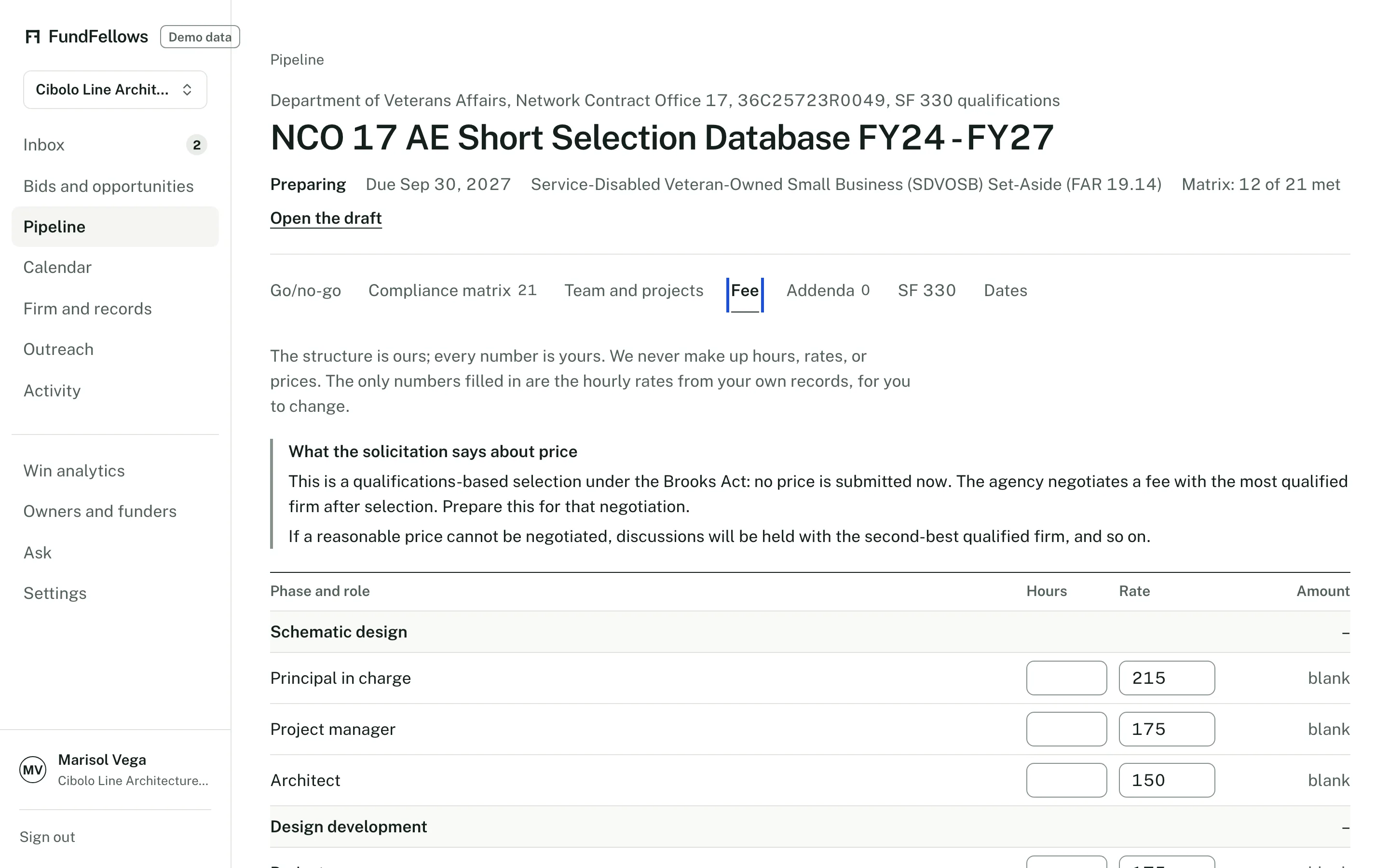
The fee proposal, on demo data. The numbers are the firm's to enter. Deadlines, the pipeline, and what you win
The solicitation's dates go on the calendar with a plan worked back from the due date: go/no-go, questions to the contracting officer, draft, principal review, sign forms, submit. Bids move through Found, Go/no-go, Preparing, Submitted, Shortlisted, Interview, Won, and Lost. Win analytics shows results by client, sector, and project size, and leaves a no-go out of the win rate.
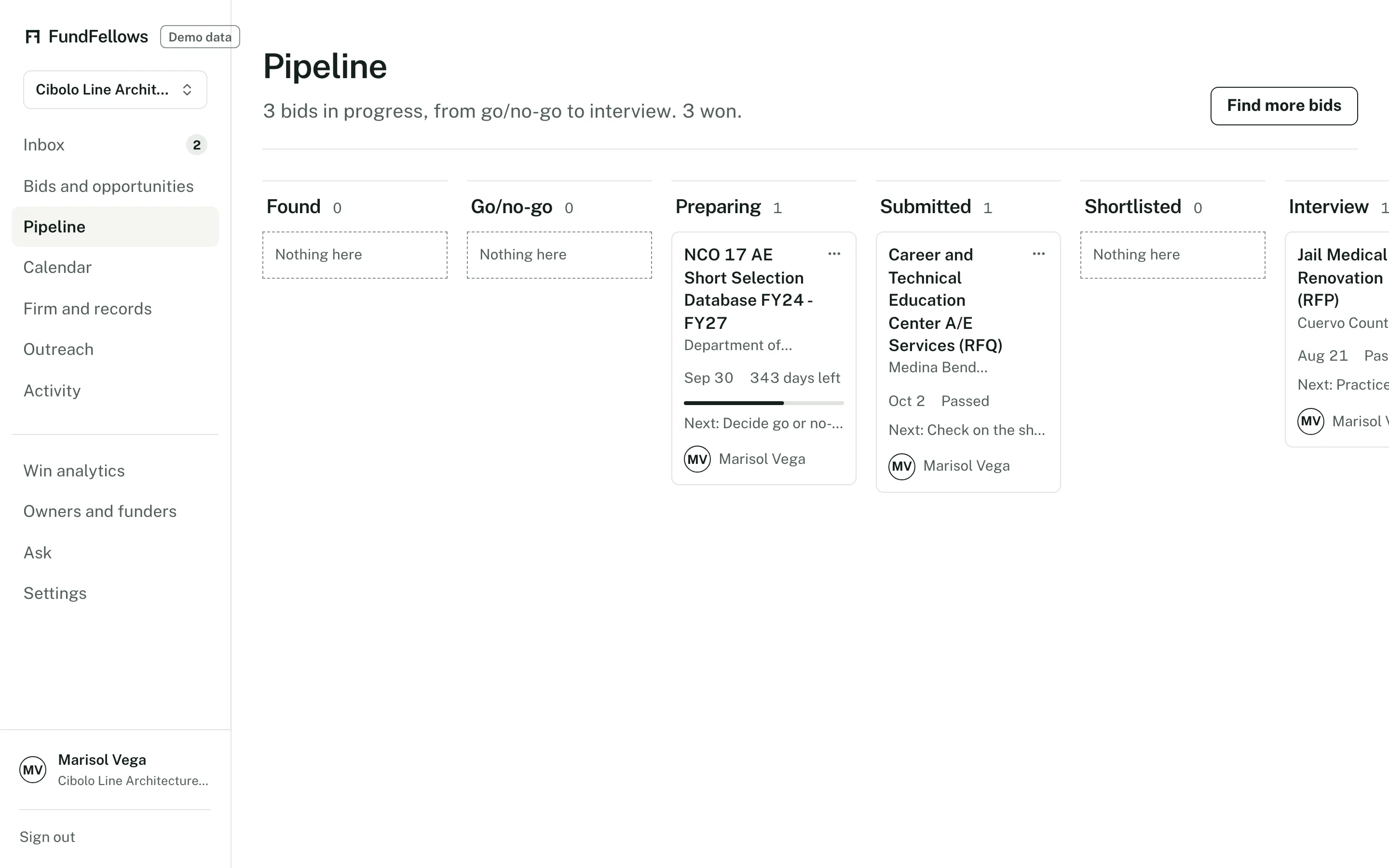
The bid pipeline, on demo data.
What it will never do
- Submit a bid. You submit it.
- Sign anything. Forms, certifications, and the bid are signed by you.
- Set a price, or fill in hours.
- Invent a project, a person, a license, or a number. A missing record becomes a question.
- Make the go or no-go decision. It gives a score and the reasons, and the call is yours.
- Contact an agency, an owner, or a contracting officer for you.
What it needs from you
- Your company profile
- NAICS codes, sectors, states, UEI, bonding, insurance, safety record, staff by discipline, and hourly rates.
- Projects and people
- The project portfolio, key personnel with their registrations, and the certifications and licenses you hold.
- The solicitation
- Pick it from the search, or add a link, the PDF, or the text. Add each addendum as it comes in.
- Your numbers
- Hours and prices on the fee proposal. It does the arithmetic, not the pricing.
- The decision and the signatures
- You decide go or no-go, sign the forms, and submit the bid.
Good to know
- State and local coverage is uneven. Many state e-procurement portals do not allow automated reading or publish no open feed, so seven portals are covered today, with more added where their terms allow. Any RFP can be uploaded or linked.
- SAM.gov notices update at least once a day. Confirm the latest amendment on SAM.gov before you submit.
- The SF 330 export is a Word working copy. Move it into the official form before you submit.
- Grants a for-profit firm can get are rare. They sit on a separate tab from bids, and it says when there are few.
Who else it is for
- What it does for nonprofitsFederal grants and private foundations in every state, drafts with a source on every claim, and deadlines planned backward.
- What it does for research teamsNIH, NSF, and SBIR notices with reasons, funded projects like yours, and proposals with each funder's AI rule on the checklist.
- What it does for studentsYour résumé becomes a profile, scholarships and fellowships are matched to it, and each essay is drafted from your own experiences.
Try it on a sample firm and a real solicitation.
Add the sample VA solicitation, read the matrix and the go/no-go score, and open the SF 330 preview.
Free during early access, with no card.
The demo includes a fictional architecture and engineering firm in San Antonio, clearly labeled, and replays recorded runs. The SAM.gov notices and the sample VA solicitation are real. It costs nothing and needs no account.