Who it's forNonprofits
Grants for the director who writes them after hours.
FundFellows reads your website and documents, finds federal grants and private foundations you can apply to, drafts the letter or proposal from facts you confirmed, and plans every deadline backward. You approve each step. Nothing is sent or submitted without you.
The demo runs on three fictional nonprofits, clearly labeled, and replays recorded runs. The Grants.gov notices and the foundation filings in it are real. It costs nothing and needs no account.
There is money to apply for, and no hours to apply for it.
A food pantry, a youth program, or a rural clinic with a budget under half a million dollars rarely has anyone whose job is grants. The director runs programs, payroll, and the board packet, then writes proposals at night.
The funder list is a spreadsheet from three years ago. The facts a funder asks for are spread across the website, last year's annual report, the 990, and someone's memory. Half the deadlines on the list may have moved.
What it does, step by step.
Paste your website, add your documents
It reads your public pages and the documents you add, such as the annual report, your 990, an old proposal, or a budget. It writes down the facts a funder asks for: your mission, programs, who you serve, where, and what changed for them. It keeps a fact only when the passage it quotes is really in the source.
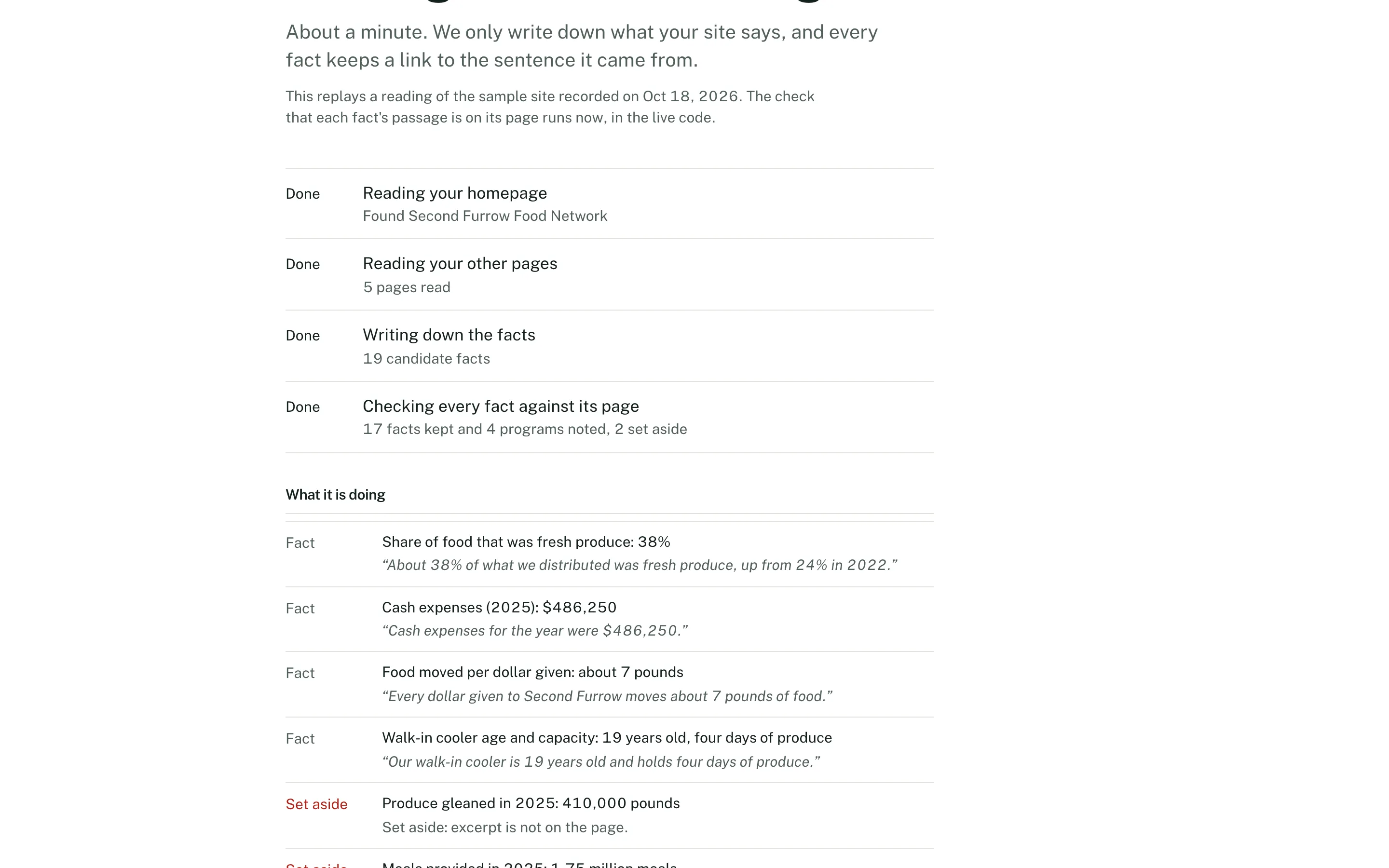
Reading a website, on demo data. Every fact keeps the passage it came from. Check each fact
Each fact sits beside the sentence it came from, with a link to the page. Confirm it, edit it, or reject it. Only confirmed facts are used in a match or a draft.
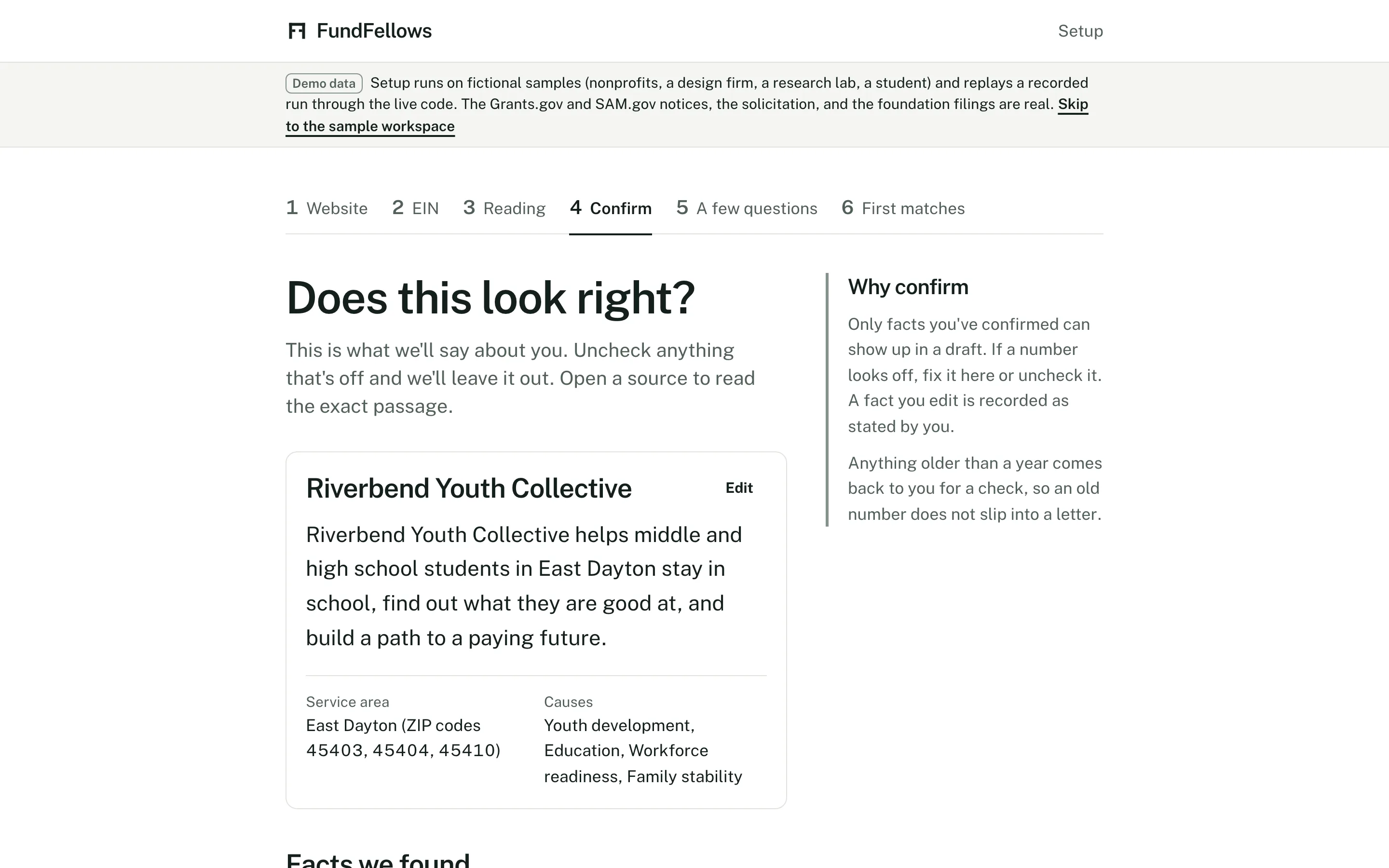
Checking facts, on demo data. See grants you can apply for
It searches federal grant notices and forecasts from Grants.gov, and the IRS 990-PF filings of private foundations in every state that paid grants. A foundation match shows whether it accepts unsolicited applications, its typical grant size, and where it gives. Each match gets a fit score from 0 to 100, and every reason names one of your facts and the line it relies on.
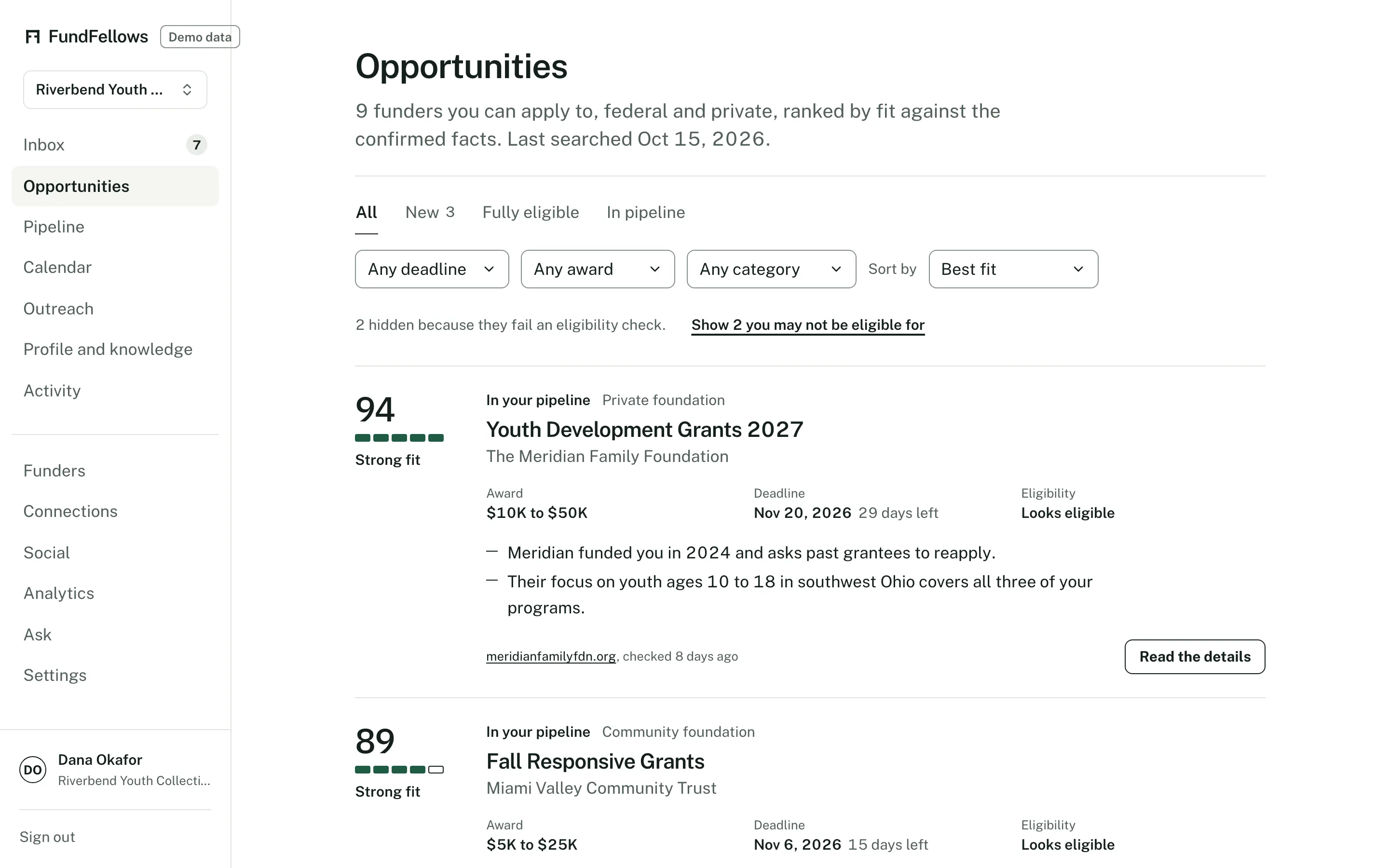
Matches, on demo data. Federal notices and foundations in one list. Read a draft with its sources
Choose a letter of inquiry or a full proposal. Every claim cites a fact you confirmed. A missing fact becomes a marked gap and a question in the side panel. Code checks each citation and each number, a reviewer check lists what a program officer might find weak, and the budget builder lays out line items from your numbers. Export to Word or PDF when it is right.
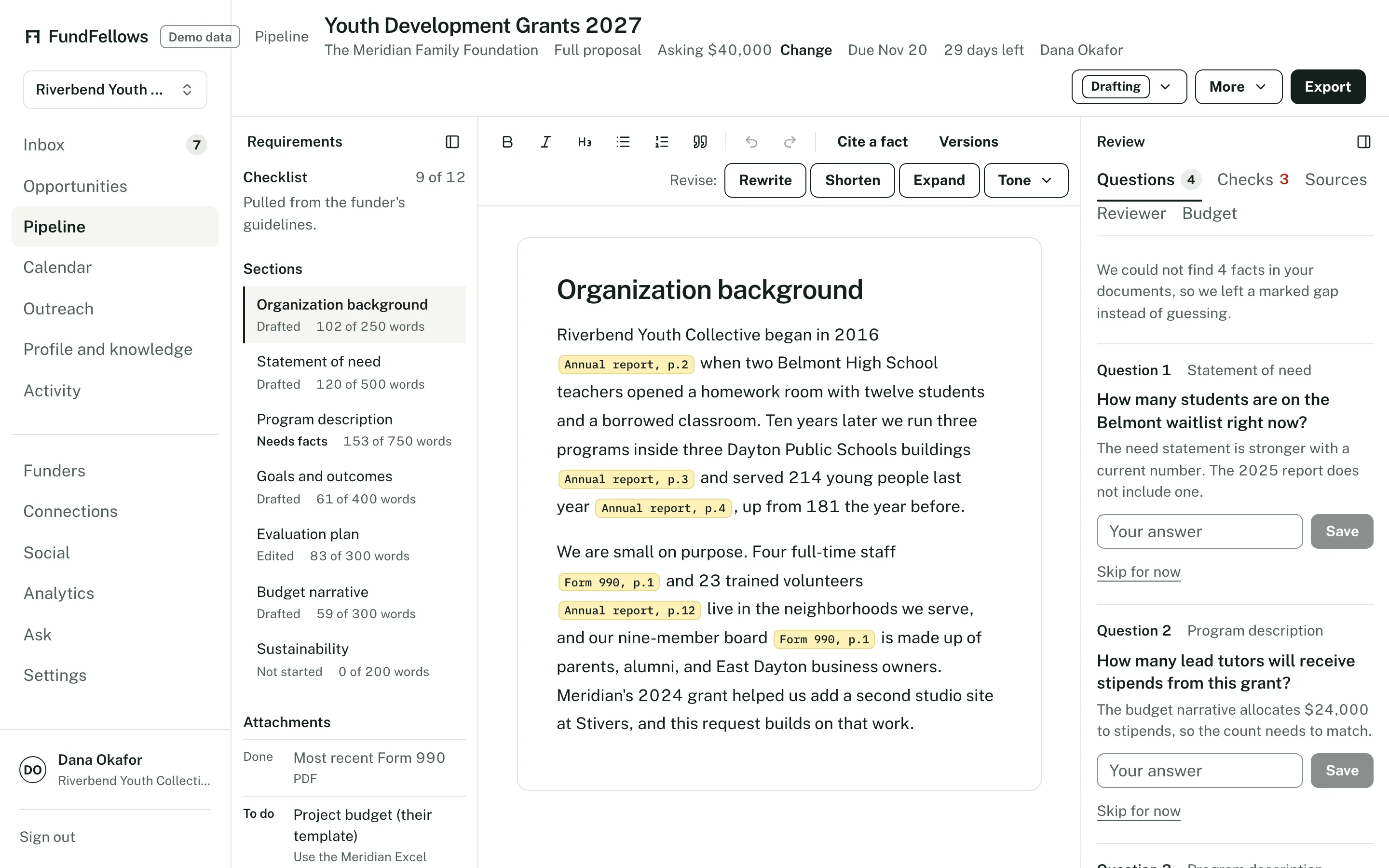
A draft, on demo data. Citations inline, questions on the right. Approve the milestones
It proposes dates counted back from the deadline: first draft, budget sign-off, board review, submit. They go on your calendar only after you approve them, through a private calendar feed or a connected Google Calendar.
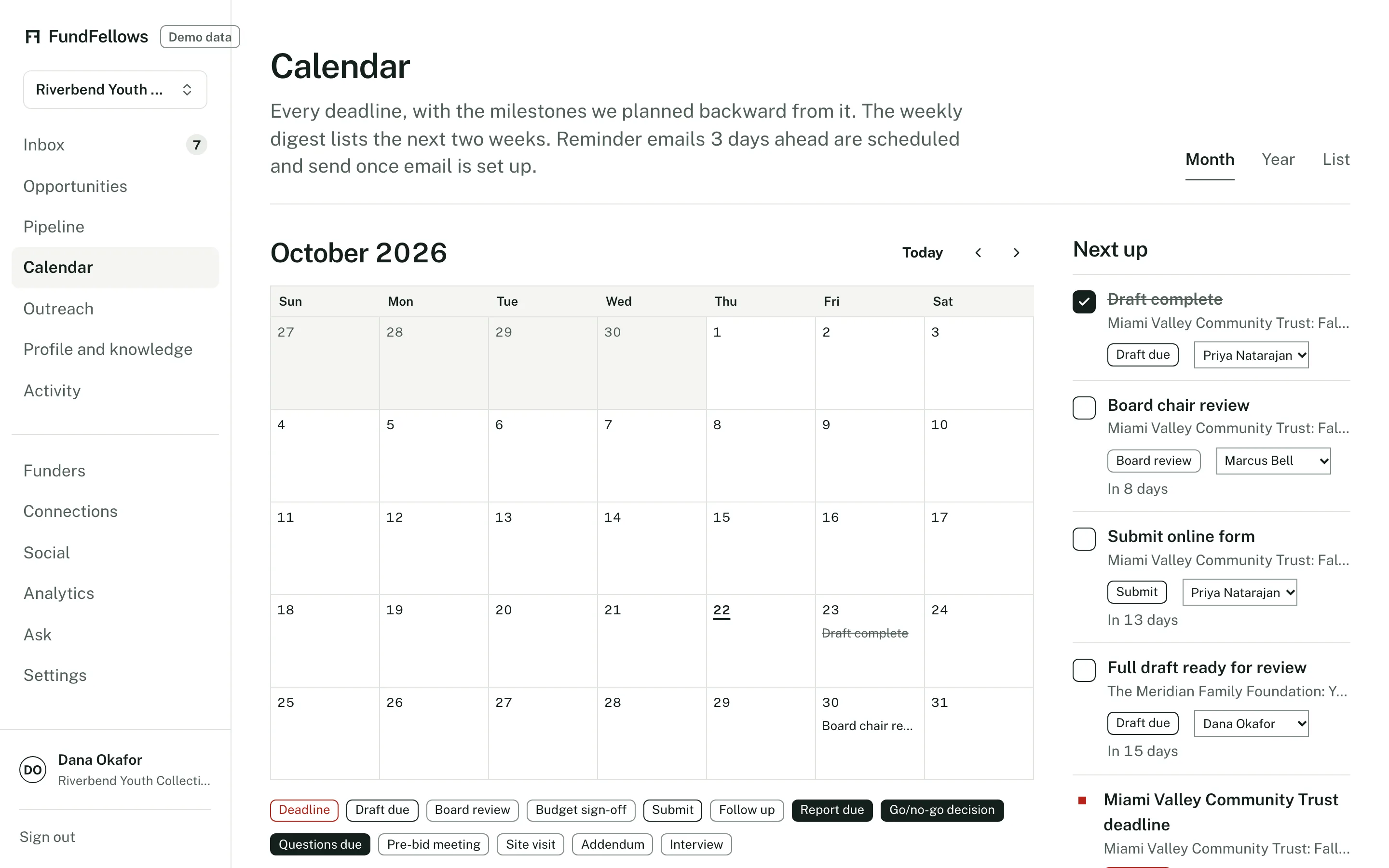
The calendar, on demo data. Deadlines and the milestones before them. Send the emails, then log what happened
Outreach drafts questions for a program officer, cover notes, and thank-you notes for you to send from your own address. When you hear back, move the application to Won or Lost on the pipeline board. Win analytics shows what your funded applications have in common, and says when there are too few to tell.
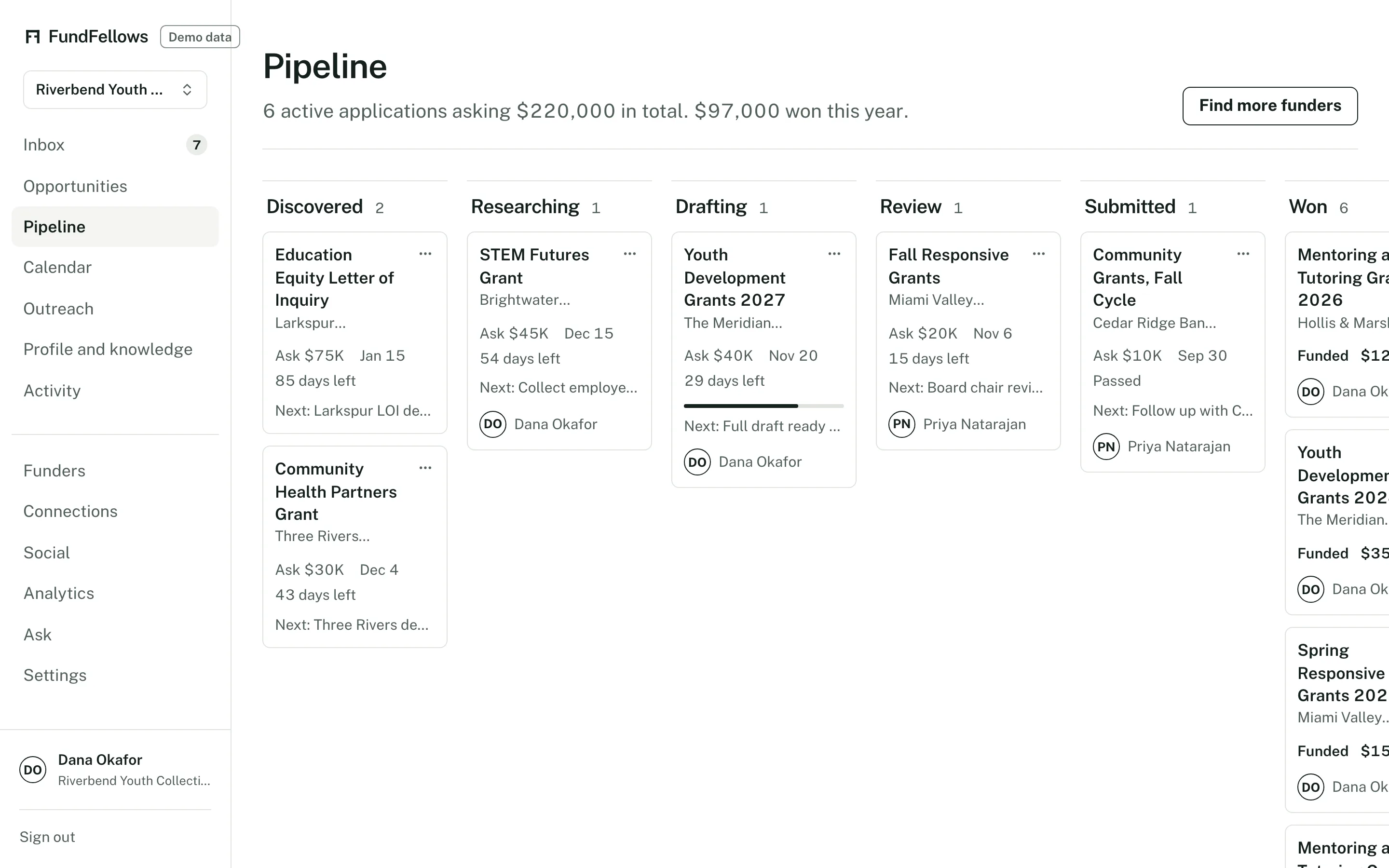
The pipeline board, on demo data.
What it will never do
- Submit an application. You upload the file and click submit on the funder's portal.
- Send an email on its own. Every send is a click by you.
- Name a funder that is not in a public source.
- Invent a number, a quote, an outcome, or a partner. A missing fact becomes a question.
- Put a date on your calendar before you approve the schedule.
- Share your profile with funders, or sell it to anyone.
What it needs from you
- Your website
- The address of your public site. Add documents if you have them: an annual report, your 990, an old proposal, a budget.
- A check of each fact
- Confirm, edit, or reject what it read. Only confirmed facts are used.
- What it cannot find
- Your annual budget, your EIN, the counties you serve, how many people you reached last year. Skip one and it comes back later as a question, never as a guess.
- Your review
- Read the funder's guidelines, check the citations, and edit the draft until it sounds like you.
- The last step
- Upload the file and click submit on the funder's portal. Send each email from your own address.
Good to know
- Foundation details such as how to apply and past grantees come from IRS filings that are one to two years old. Read each foundation's current guidelines before you apply.
- Those details are read first for the larger foundations. More smaller ones are filled in each day.
- Corporate giving programs and community foundation rounds are not covered yet.
- Grant consultants and fiscal sponsors can switch between organizations from one login, and each keeps its own facts.
- Drafts are in English.
Who else it is for
- What it does for architecture and construction firmsFederal, state, and city solicitations in one search, a compliance matrix with the page behind every requirement, go/no-go with reasons, and proposals and SF 330s built from your own records.
- What it does for research teamsNIH, NSF, and SBIR notices with reasons, funded projects like yours, and proposals with each funder's AI rule on the checklist.
- What it does for studentsYour résumé becomes a profile, scholarships and fellowships are matched to it, and each essay is drafted from your own experiences.
Try it on a sample nonprofit first.
It is free during early access. There is no paid plan and no card.
Free during early access, with no card.
The demo runs on three fictional nonprofits, clearly labeled, and replays recorded runs. The Grants.gov notices and the foundation filings in it are real. It costs nothing and needs no account.